


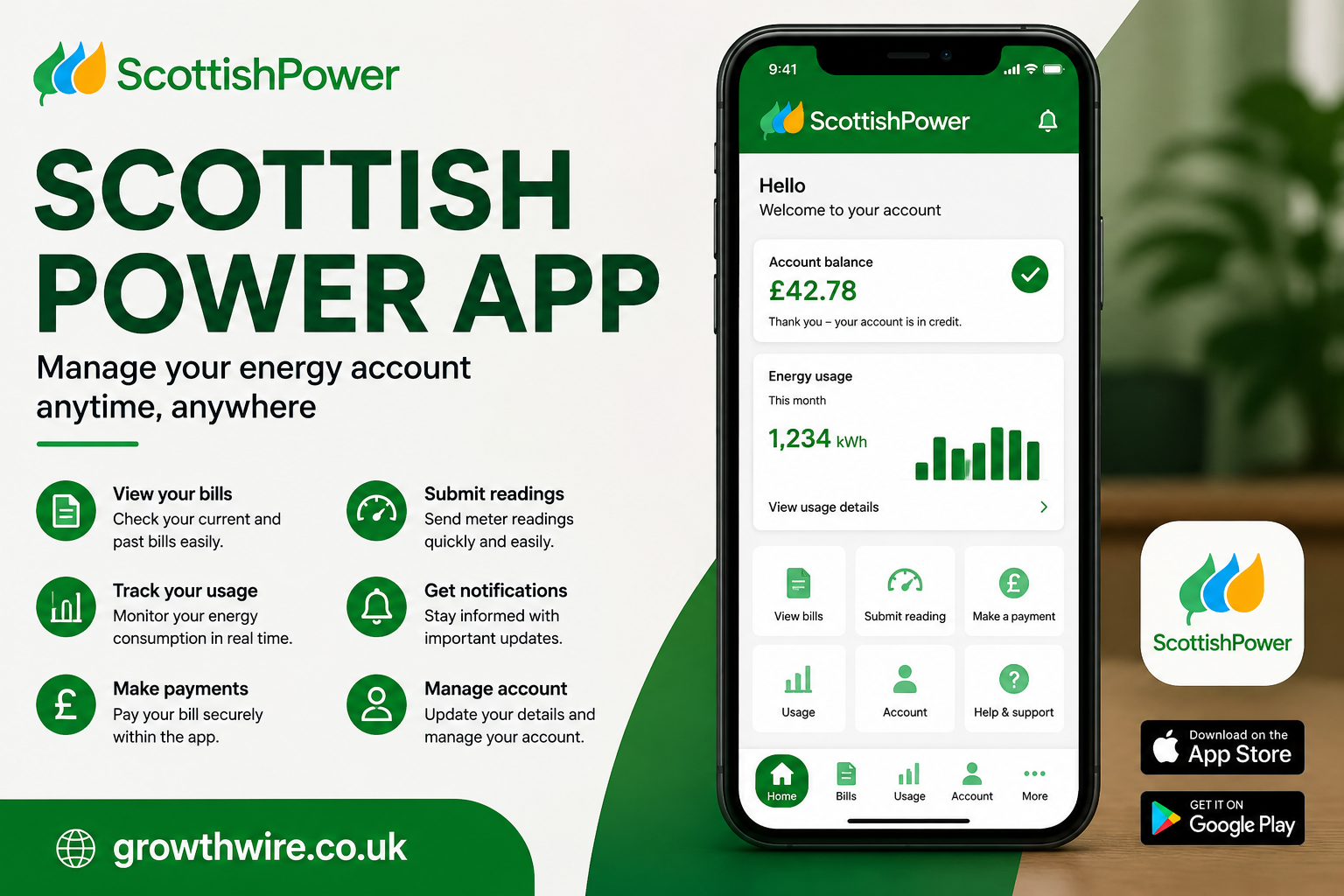
Managing household energy can sometimes feel complicated. From checking how much electricity you are using to keeping track of bills, meter readings, payments, and account information, there are several tasks that customers need to handle regularly. Digital services have made many of these responsibilities easier, and the Scottish Power app is designed to give customers a convenient way to manage their energy account from a smartphone or tablet.
For people who prefer handling everyday tasks online rather than calling customer service, the app can provide a central place to view account information, monitor energy usage, submit meter readings, and manage payments. It can also be useful for customers who want to understand their energy habits and keep a closer eye on household costs.
This guide explains what the app is, what customers can generally use it for, how to get started, common problems users may experience, and practical ways to make the most of its features.
What Is the Scottish Power App?
The Scottish Power app is a mobile service intended to help ScottishPower customers manage their energy accounts digitally. Instead of relying entirely on a desktop website or telephone support, customers can access many account-management functions directly from a mobile device.
The app is particularly useful for routine activities. For example, if you need to submit a meter reading, check when a payment is due, or review your account, using a mobile application can be more convenient than logging into a computer.
The exact features available can depend on the customer’s account, tariff, meter setup, and the services ScottishPower provides to that customer. As apps are updated over time, individual menus and options can also change.
Nevertheless, the main idea is straightforward: provide customers with easier access to their energy information wherever they have an internet connection.
Why Use the Scottish Power App?
One of the biggest advantages of a dedicated energy app is convenience. Energy accounts are not usually something people want to spend a lot of time managing. A mobile application can make routine tasks quicker.
Customers may use the service to:
- View energy bills
- Check account balances
- Make or manage payments
- Submit meter readings
- Monitor energy consumption
- Review account information
- Manage certain personal details
- Access help and support
- Keep track of energy-related activity
Having these options in one place can make household administration simpler.
The app can also be useful when you are away from home. If you receive a notification about your account or remember that a meter reading needs to be submitted, you can potentially handle the task without waiting until you are sitting at a computer.
Getting Started With the Scottish Power App
Getting started generally involves downloading the official application from the appropriate app store and signing in with your ScottishPower account details.
New users may first need to create or register an online account. Existing customers who already have online account credentials can normally use those details to access the relevant digital services.
When setting up the application, it is important to use the official version published by ScottishPower. Checking the developer name and app information before installing software is a sensible security precaution.
Once the app is installed, customers should follow the on-screen instructions. Depending on the account, the setup process may require information associated with the energy account.
After signing in, users should take a few minutes to explore the main dashboard. Understanding where bills, payments, meter readings, and usage information are located can make future visits much faster.
Scottish Power App and Meter Readings
Submitting meter readings is one of the most practical reasons an energy customer may use the application.
A meter reading tells the energy supplier how much electricity or gas has been consumed according to the customer’s meter. Regular and accurate readings can help reduce reliance on estimated readings when actual meter information is available.
The process usually involves locating the meter, recording the displayed figures, and entering them into the appropriate section of the account.
Before submitting a reading, check the numbers carefully. A single incorrect digit can affect the information associated with the account.
Customers with different types of meters may have different procedures. Smart meters, traditional meters, and other installations can provide information in different ways, so users should follow the instructions displayed for their particular account.
Understanding Energy Usage
Energy consumption can be difficult to understand when you only see a total amount on a bill. Usage information can provide additional context.
The Scottish Power app may allow eligible customers to view information about their energy consumption. Depending on the account and meter arrangement, this could help users identify patterns in their household usage.
For example, you may notice that consumption increases during colder months because of heating requirements. Alternatively, unusually high usage could encourage you to investigate whether an appliance, heating system, or other device is consuming more energy than expected.
Usage data is most valuable when viewed over time. Looking at a single day does not necessarily tell you much about your household’s overall energy habits. Comparing different periods can provide a clearer picture.
Checking Bills Through the Scottish Power App
Energy bills are another important part of account management.
Instead of searching through paper correspondence, customers can use digital account services to review billing information. This can make it easier to check charges, payment amounts, and previous bills.
When reviewing a bill, it is useful to look beyond the final total. Customers may want to understand:
- The billing period
- Electricity or gas usage
- Applicable rates
- Payments already made
- Account balance
- Any adjustments or credits
- Whether the bill is based on actual or estimated usage
Understanding these details can make unexpected changes easier to investigate.
If a bill appears significantly different from previous ones, checking the meter reading and billing period can be a useful first step.
Managing Payments
Paying an energy bill is another routine responsibility that digital services can simplify.
Depending on the customer’s account and available options, the application may provide access to payment-related information. This can help users understand when payments are expected and whether their account is in credit or debit.
Customers should always make sure their payment information is accurate and up to date. If a payment method changes, it is important to follow the official process for updating account details.
It is also worth remembering that payment options and availability can vary between customers. The options displayed inside an account are the best indication of what is currently available.
Scottish Power App for Smart Meter Customers
Smart meters have changed the way many households interact with their energy suppliers.
Instead of customers manually submitting readings as frequently, smart-meter systems can transmit relevant information electronically. This can make billing and consumption monitoring more convenient.
For customers with compatible smart-meter arrangements, digital services can provide additional visibility into energy use.
However, smart-meter data can occasionally experience delays or technical issues. If consumption information does not appear immediately, it does not necessarily mean the meter itself is faulty.
Customers experiencing persistent problems should check the service status and troubleshooting information provided by ScottishPower before assuming there is a serious issue.
Notifications and Account Updates
Mobile applications can make it easier to stay aware of account-related events.
Depending on the application version and customer settings, notifications may be available for certain types of information. These could help remind customers about account activity or other important updates.
Notifications are useful, but customers should still check their account directly when something important needs attention. A notification should not be treated as a replacement for reviewing bills and account information.
It is also sensible to review notification permissions on the phone. Users who receive too many alerts can adjust their device or app settings where those controls are available.
Scottish Power App Not Working: Common Causes
Like any mobile application, the service can occasionally experience technical problems.
If the Scottish Power app is not working properly, the cause could be something simple, such as an outdated application, weak internet connection, or temporary service disruption.
Common problems include:
- The app refusing to open
- Login errors
- Pages failing to load
- Meter-reading sections not responding
- Payment screens failing
- Usage information not appearing
- Unexpected error messages
- The application closing unexpectedly
The first step should usually be to determine whether the problem is specific to the phone or related to the service itself.
How to Troubleshoot Login Problems
Login problems are among the most frustrating issues because they prevent access to the rest of the account.
If you cannot sign in, first check that your email address or username and password have been entered correctly. Pay attention to capitalization and accidental spaces.
If you have forgotten your password, use the official password-recovery process rather than repeatedly attempting different passwords.
You should also check your internet connection. Switching between Wi-Fi and mobile data can sometimes help determine whether connectivity is responsible.
If the credentials are correct and the problem continues, the service itself may be experiencing a temporary issue.
Avoid sharing your password with anyone claiming to offer technical assistance. Account credentials should remain private.
Updating the App
Developers regularly release updates to improve performance, introduce features, and fix bugs.
If your application has not been updated for a long time, some features may not function as expected. Checking the relevant app store for an available update can therefore be worthwhile.
Keeping your phone’s operating system reasonably up to date can also help maintain compatibility with modern applications.
However, before installing an update, make sure you are using the legitimate application from the official publisher.
Reinstalling the Scottish Power App
If ordinary troubleshooting does not work, reinstalling the application may resolve certain software-related problems.
The general process is to remove the application from the device, restart the phone if appropriate, and install the official version again.
Reinstalling an app does not normally delete the underlying energy account because the account exists on the supplier’s systems rather than solely on the phone. Nevertheless, you may need to sign in again after reinstalling it.
Make sure you know your legitimate login details before removing an application.
Internet Connection and App Performance
A reliable internet connection is essential for account-management applications.
If pages remain blank or information refuses to load, check whether other websites or applications are working normally. If they are also experiencing connectivity problems, the issue may be with your internet connection rather than the energy service.
You can try switching networks, moving closer to a Wi-Fi router, or restarting the router if appropriate.
When travelling or using mobile data, network restrictions can also affect performance.
Security and Privacy
Energy accounts contain personal and financial information, so security should be taken seriously.
Customers should use strong, unique passwords and avoid entering account information into suspicious websites or applications.
Never give your password, security codes, or payment information to someone who contacts you unexpectedly and claims to represent an energy company.
Phishing attempts can imitate legitimate businesses. Messages may encourage recipients to click links, make urgent payments, or provide personal details.
When in doubt, access the account through the official ScottishPower website or official application rather than following an unfamiliar link in an email or text message.
How the App Can Help With Energy Awareness
One of the less obvious benefits of digital energy management is increased awareness.
When customers regularly check their consumption, they may become more conscious of how everyday activities affect energy use.
For instance, heating, hot water, cooking, laundry, and electrical appliances can all contribute to household consumption. Identifying periods of unusually high use can encourage people to investigate possible causes.
The goal is not necessarily to check the application every day. Instead, occasional reviews can help establish useful patterns.
A customer might compare winter consumption with summer consumption, weekday usage with weekend usage, or one billing period with another.
Saving Energy After Reviewing Usage
Energy information is most useful when it leads to practical decisions.
If your consumption appears higher than expected, consider reviewing common sources of household energy use. Heating systems can be particularly important during colder periods.
Simple habits can sometimes make a difference, such as avoiding unnecessary heating, switching off devices that do not need to remain active, and using appliances efficiently.
Energy-saving measures should always be realistic for the household. The purpose of monitoring consumption is to understand where energy is going, not simply to reduce usage regardless of circumstances.
What to Do If Information Looks Incorrect
Sometimes customers may notice information that does not appear to match their expectations.
For example, a meter reading could look unusual, a bill might seem higher than expected, or usage data may appear incomplete.
Do not immediately assume that the application is responsible.
First, compare the information with your physical meter if appropriate. Check the dates covered by the bill and determine whether the reading is actual or estimated.
If the discrepancy remains unexplained, contacting ScottishPower through its official customer-service channels is the safest way to obtain account-specific assistance.
Scottish Power App vs Website
A mobile application and a website can provide similar account-management capabilities, but they serve slightly different purposes.
The app is convenient when you are using a smartphone. It is particularly useful for quick tasks such as checking an account or submitting information.
A website can sometimes be preferable when you need to read extensive information, compare documents, or manage an account using a larger screen.
There is no requirement to choose one permanently. Customers can use whichever official channel is most convenient for a particular task.
Tips for Getting More From the App
A few simple habits can make digital energy management more effective.
First, keep your contact details current. This helps ensure that important account communications can reach you.
Second, check bills periodically instead of only looking at the amount when payment is due.
Third, submit accurate meter readings when required and make sure you understand the type of meter installed at your property.
Fourth, monitor consumption trends rather than focusing on individual fluctuations.
Finally, keep the application updated and use secure login practices.
These small habits can turn an energy account from something you only think about when a bill arrives into something you can manage more proactively.
Frequently Asked Questions About the Scottish Power App
Is the Scottish Power app free?
The application itself may be available without a separate app purchase, although normal mobile data charges could apply depending on your phone contract. Energy charges and account payments are separate from the cost of accessing a mobile application.
Can I submit a meter reading through the app?
Eligible customers may be able to submit meter readings digitally. The exact process depends on the type of meter and account.
Why can’t I see my latest energy usage?
Usage information may not always appear immediately. Smart-meter communication, data processing, account configuration, or temporary technical problems can affect when information becomes visible.
What should I do if I cannot log in?
Check your login details and internet connection first. If you have forgotten your password, use the official recovery process. Persistent problems may require customer support.
Is it safe to use the app?
Customers should download the official application, keep their phone updated, use a secure password, and avoid sharing account credentials. Official channels should be used for sensitive account activity.
Can I use the app instead of the website?
For many routine tasks, a mobile application can provide a convenient alternative to the website. However, available features can differ depending on the service and account.
Final Thoughts
The Scottish Power app can make everyday energy-account management more convenient by bringing important information and routine services together on a mobile device. Whether you want to check a bill, review consumption, submit a meter reading, or keep track of account activity, digital access can save time compared with relying entirely on traditional methods.
Its biggest advantage is convenience, but the value of the service depends on how customers use it. Regularly reviewing bills, checking consumption trends, keeping account details accurate, and submitting correct meter information can help households maintain better control over their energy accounts.
At the same time, users should remember that mobile applications can experience technical problems. Login errors, connection issues, outdated software, and temporary service interruptions can all affect performance. When troubleshooting does not resolve an issue, the best approach is to use official ScottishPower support channels rather than relying on unverified third-party advice.
Ultimately, an energy app is not simply a way to view a bill. Used effectively, it can become a practical tool for understanding household energy use and staying organized. For customers who prefer managing everyday services from their phones, having account information readily available can make energy administration considerably simpler.
